Tutorial 3 of 8
~5 minSend your first reading
Push a sensor value from an ESP32, Arduino or Raspberry Pi — or from any terminal — and watch it appear live.
- 1
Open the Integrate guide
Inside the app, the Integrate page gives you copy-paste snippets with your endpoint already filled in — cURL, Python and ESP32.
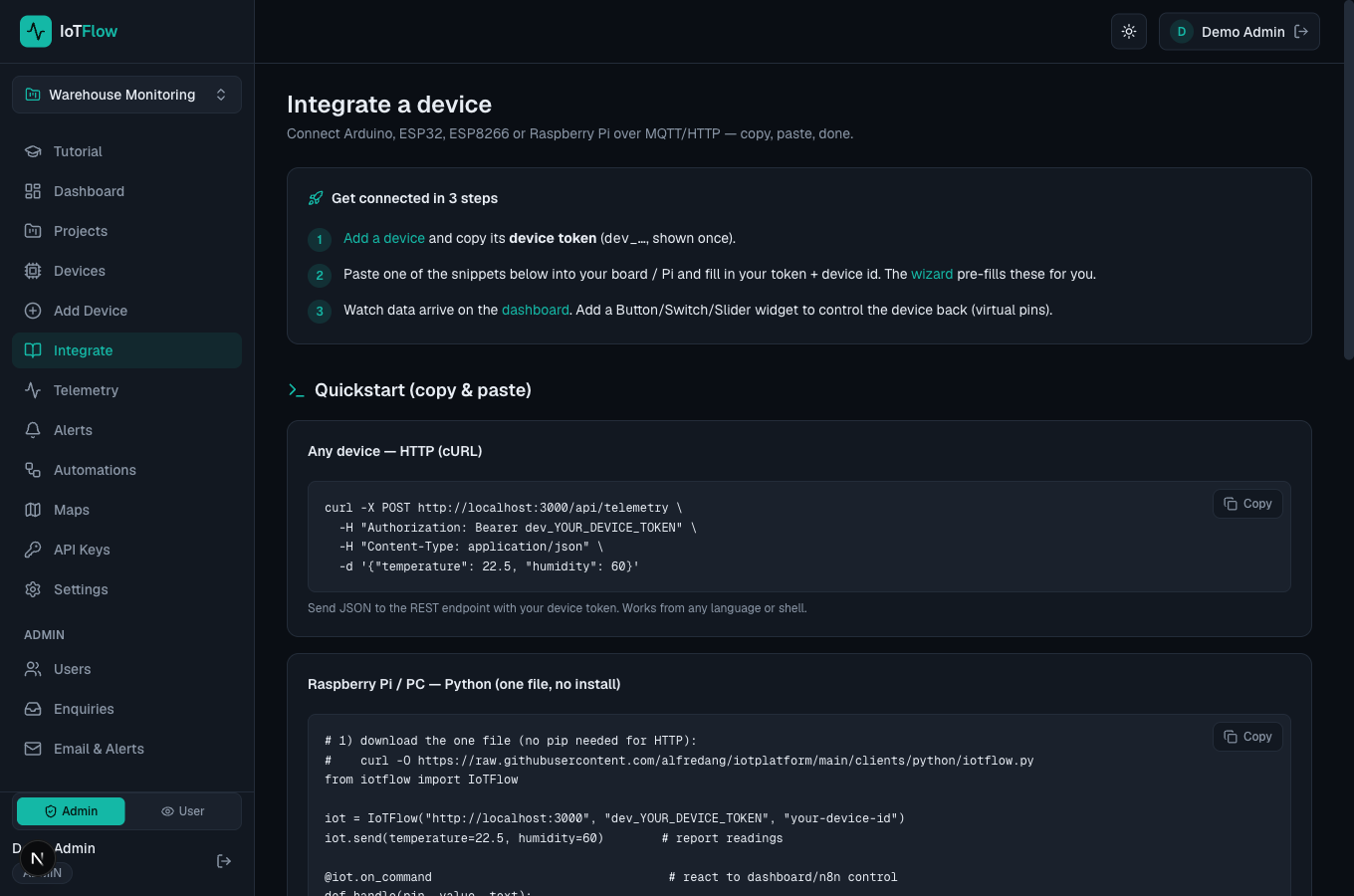
Copy-paste quickstart snippets on the Integrate page. - 2
Send over HTTP (works from anything)
The simplest test: POST a JSON body with your device token. Run this from any terminal.
curl -X POST https://YOUR-HOST/api/telemetry \ -H "Authorization: Bearer dev_YOUR_DEVICE_TOKEN" \ -H "Content-Type: application/json" \ -d '{"temperature": 22.5, "humidity": 60}' - 3
Or use the Python package (Raspberry Pi / PC)
Install the iotflow package from PyPI and send readings in two lines. HTTP mode has zero dependencies — you can also just download iotflow.py next to your script instead of installing.
# pip install iotflow from iotflow import IoTFlow iot = IoTFlow("https://YOUR-HOST", "dev_YOUR_DEVICE_TOKEN", "your-device-id") iot.send(temperature=22.5, humidity=60) - 4
Or Python over MQTT — publish every 10 seconds
The Python twin of the ESP8266 telemetry-upload sketch: connect once in the background, then publish readings on a loop. Install with the mqtt extra.
# pip install "iotflow[mqtt]" import time from iotflow import IoTFlow iot = IoTFlow(token="dev_YOUR_DEVICE_TOKEN", device_id="your-device-id", mqtt_host="BROKER_HOST", mqtt_port=1883) iot.connect() # MQTT runs in the background while True: iot.mqtt_publish(temperature=28.5, humidity=65, voltage=3.7) time.sleep(10) - 5
Or ESP32 / ESP8266 over MQTT
With the optional IoTFlow Arduino library, report readings with virtualWrite() — bind a widget to the metric name (e.g. temperature).
iot.setServer("BROKER_HOST", 1883); iot.setDevice("your-device-id", "dev_YOUR_DEVICE_TOKEN"); iot.begin(); iot.virtualWrite("temperature", 22.5); - 6
Watch it arrive
Open the Dashboard. Your reading shows up under Latest Telemetry within seconds — the whole dashboard auto-refreshes every 5 seconds.