Guides7/3/2026
Energy Monitoring: Log Power to Google Sheets with n8n
Understand where your watts go. An ESP8266 smart plug streams power to IoTFlow, and an n8n flow appends every reading to a Google Sheet for easy charts and billing.
Energy Monitoring & Logging
You can't manage what you don't measure. A Sonoff-style ESP8266 plug reports power to IoTFlow; an n8n flow logs each reading to Google Sheets so you can build charts or reconcile a power bill.
Device code (ESP8266)
iot.virtualWrite("power", readPowerWatts()); // every few secondsPut a Line chart widget on power for a live view, then let n8n handle the long-term history.
The n8n workflow
Here is the low-code automation that ties it together. In IoTFlow, every device event (telemetry, alert, command) can be forwarded to an n8n Webhook, and n8n calls back into the platform to control the device.
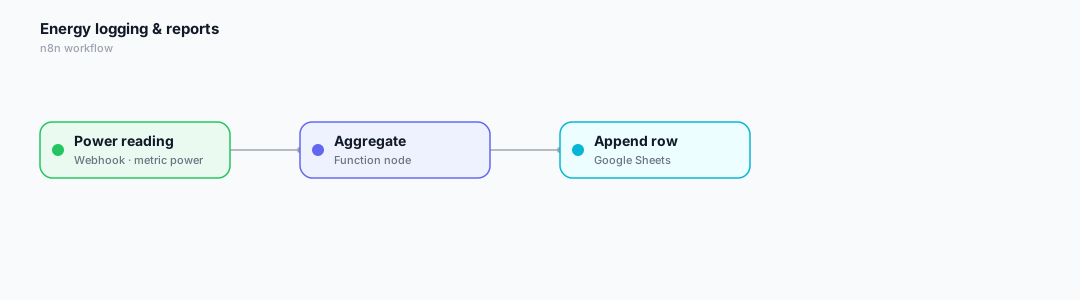
- The Webhook receives each power reading (metric = power).
- A Function node rounds/aggregates the value and adds a timestamp.
- A Google Sheets node appends a row — ready for pivot tables and charts.
Wire it up in 3 steps
- In n8n, add a Webhook node, activate it and copy the Production URL.
- In IoTFlow → Automations → New automation, pick the event and paste the URL.
- Click Test, then let real device data trigger it automatically.
Tip: bind a Switch or Slider widget to the same virtual pin so you can also control the device by hand from the web or mobile app.
Happy building! 🚀
Reviews
Leave a review